
Otag
Voice and text for your crew.
Servers, voice rooms and chat for your friends, on your computer, in your browser and on your phone. Free, with no ads.
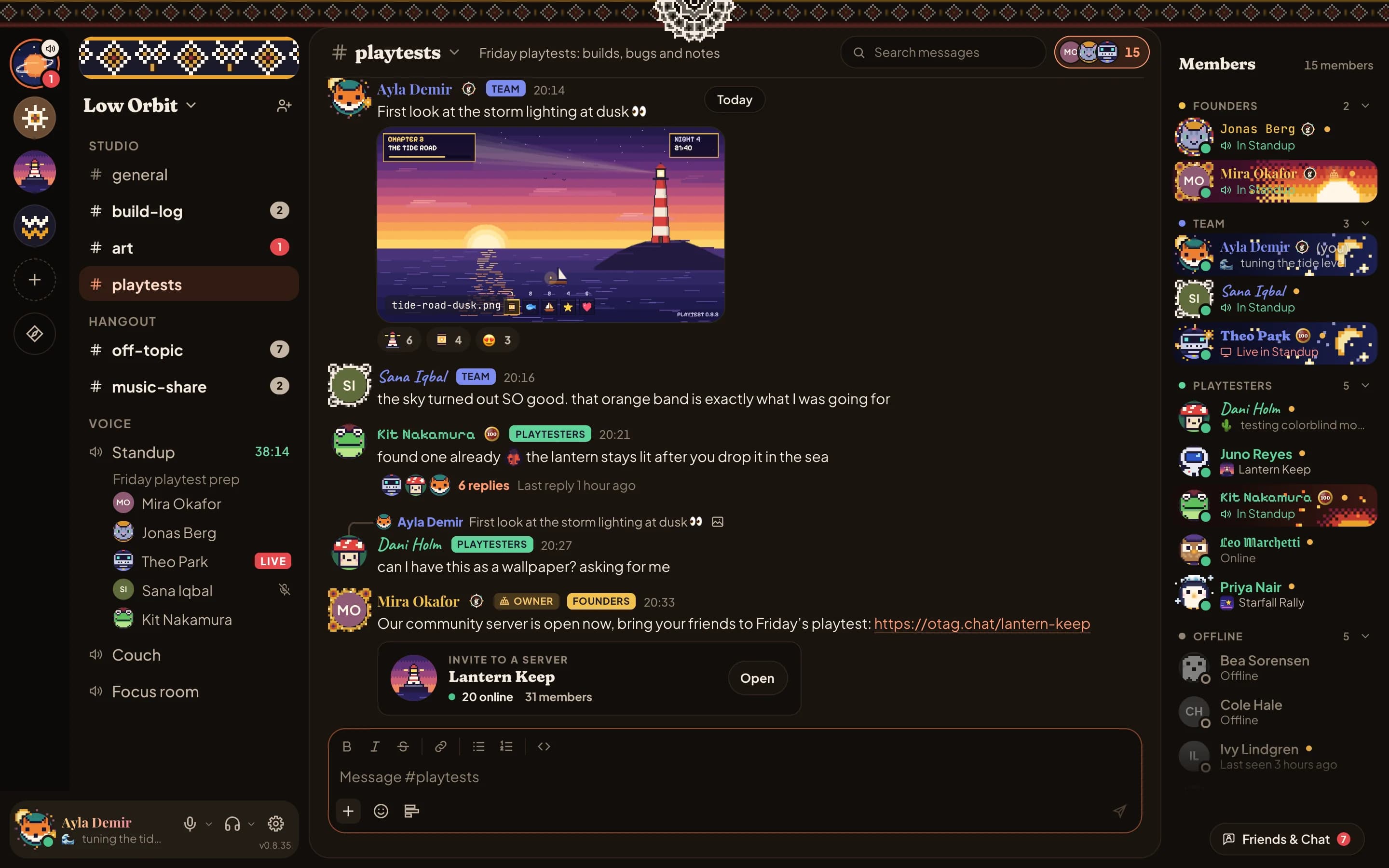
The basics we all have
- Servers and channels
- Voice rooms
- Screen sharing with sound
- Cameras
- Direct messages
- Voice messages
- Threads and replies
- Forums and polls
- Emoji, GIFs and reactions
- Stickers
- Files and link previews
- Spoiler tags
- Pinned and saved messages
- Push notifications
- Mac, Windows and Linux apps
- Roles and permissions
- Moderation tools
- Stages
- End-to-end encrypted calls
- Two-factor sign-in
- Passkeys
- In-game overlay
- Music and videos together
- Apps and webhooks
And then some more…
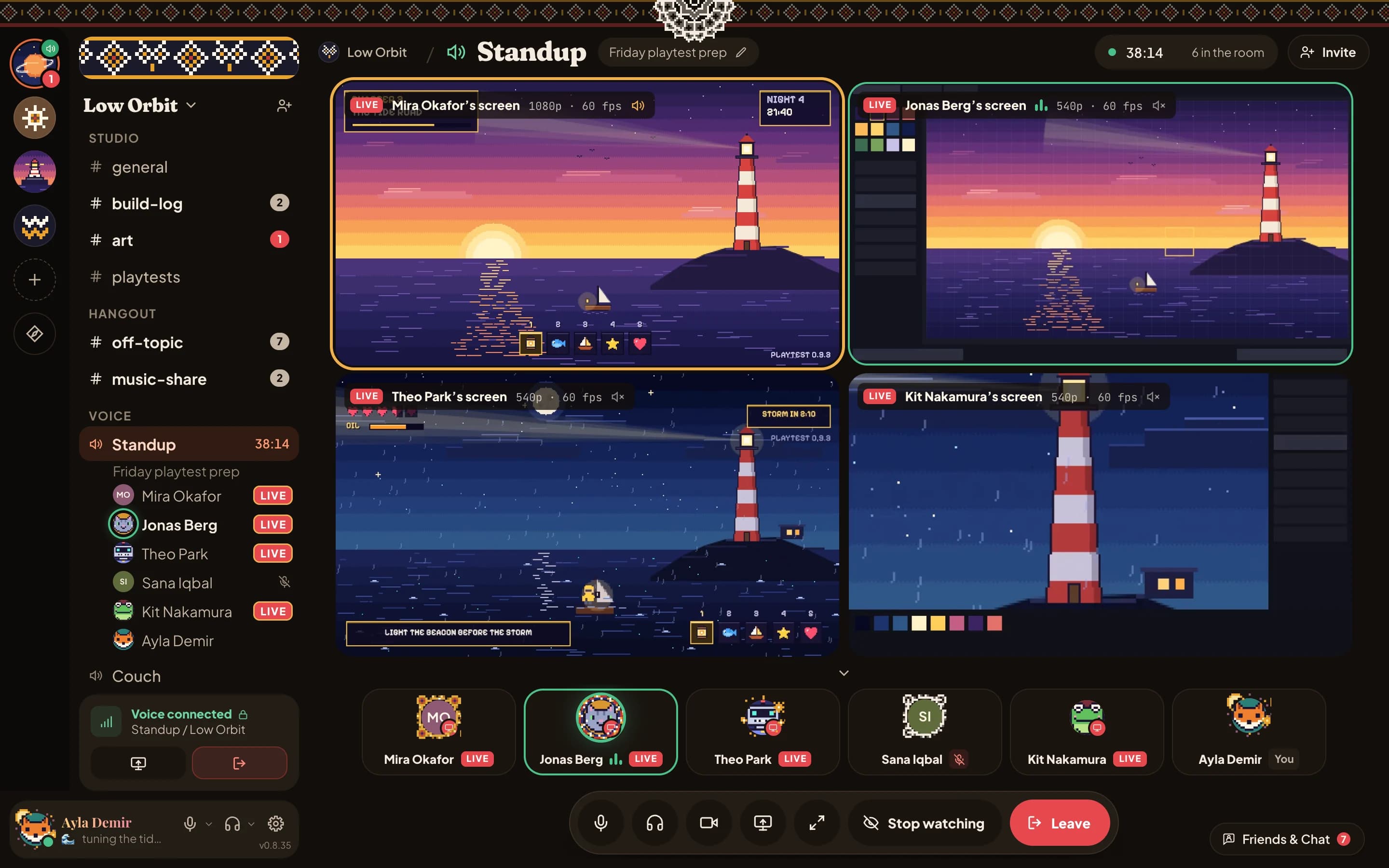
Four streams, side by side.
Watch up to four of your friends’ streams at once. You hear one at a time and a click moves the sound, and the spotlight can follow whoever is talking.
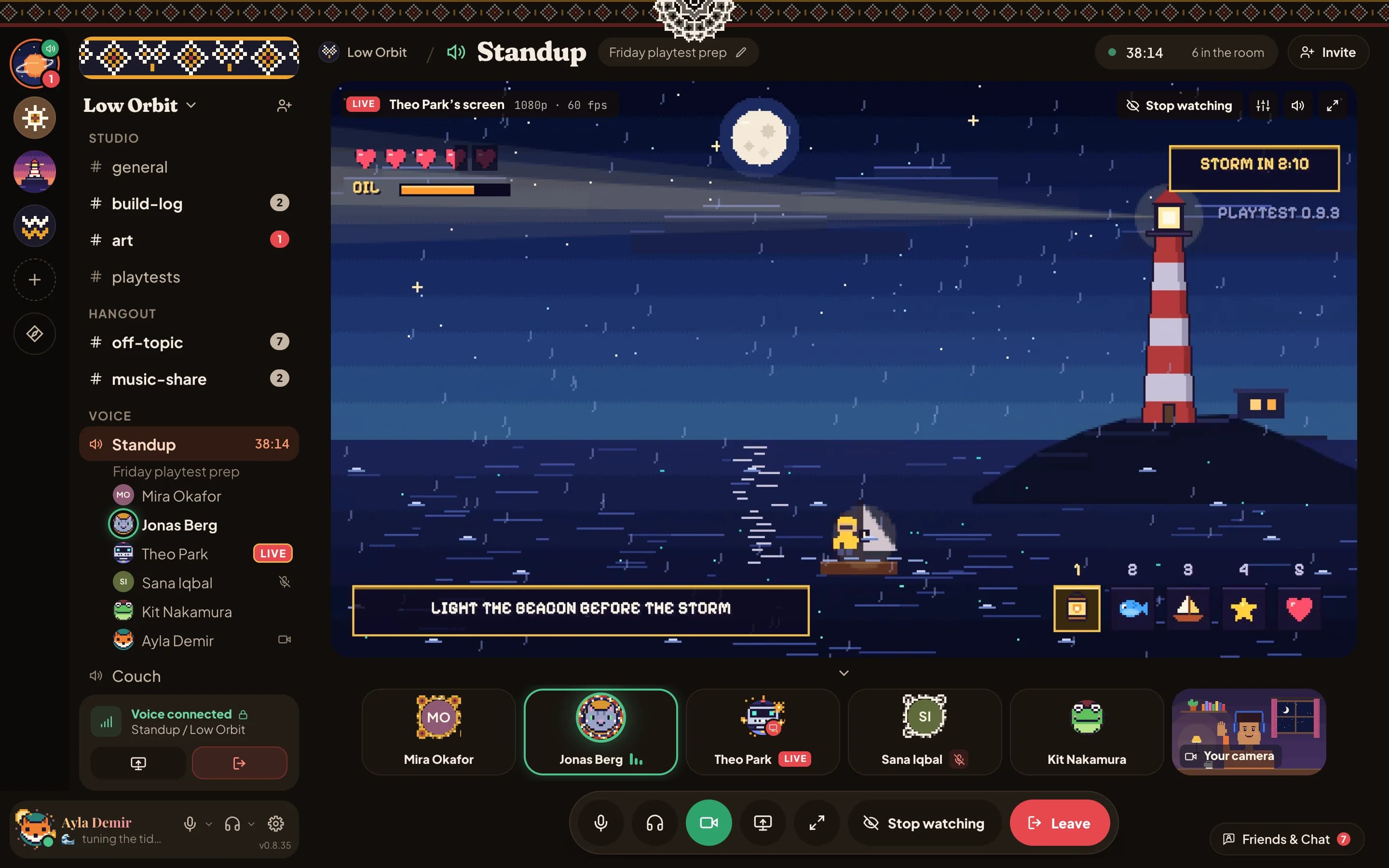
4K at 60 fps, free during the beta.
Share a game, a window or your whole screen with its sound in any voice room, at up to 4K and 60 frames a second. Everyone watching picks the quality their connection holds.
Light on your computer.
Optimized for memory: it uses 3.2 times less than its closest competitor, so the rest of your computer stays with your games.

- 3.2×less memory
- 21×less disk space
The extras, free.
What other apps charge for is simply part of Otag, for everyone.

- 100 MB files
- 4,000-character messages
- Emoji from your servers, anywhere
- A different profile picture in each server
- Your server’s own link: otag.chat/yourserver
Badges no one can fake.
Otag mints every badge with a number of its own and seals it, so it can’t be copied. Wear up to six on your card and one beside your name.

Wear what you make.
Draw a decoration, a nameplate, an effect or a frame, still or moving, and wear it. Servers can hand out sets of their own.
Read the guide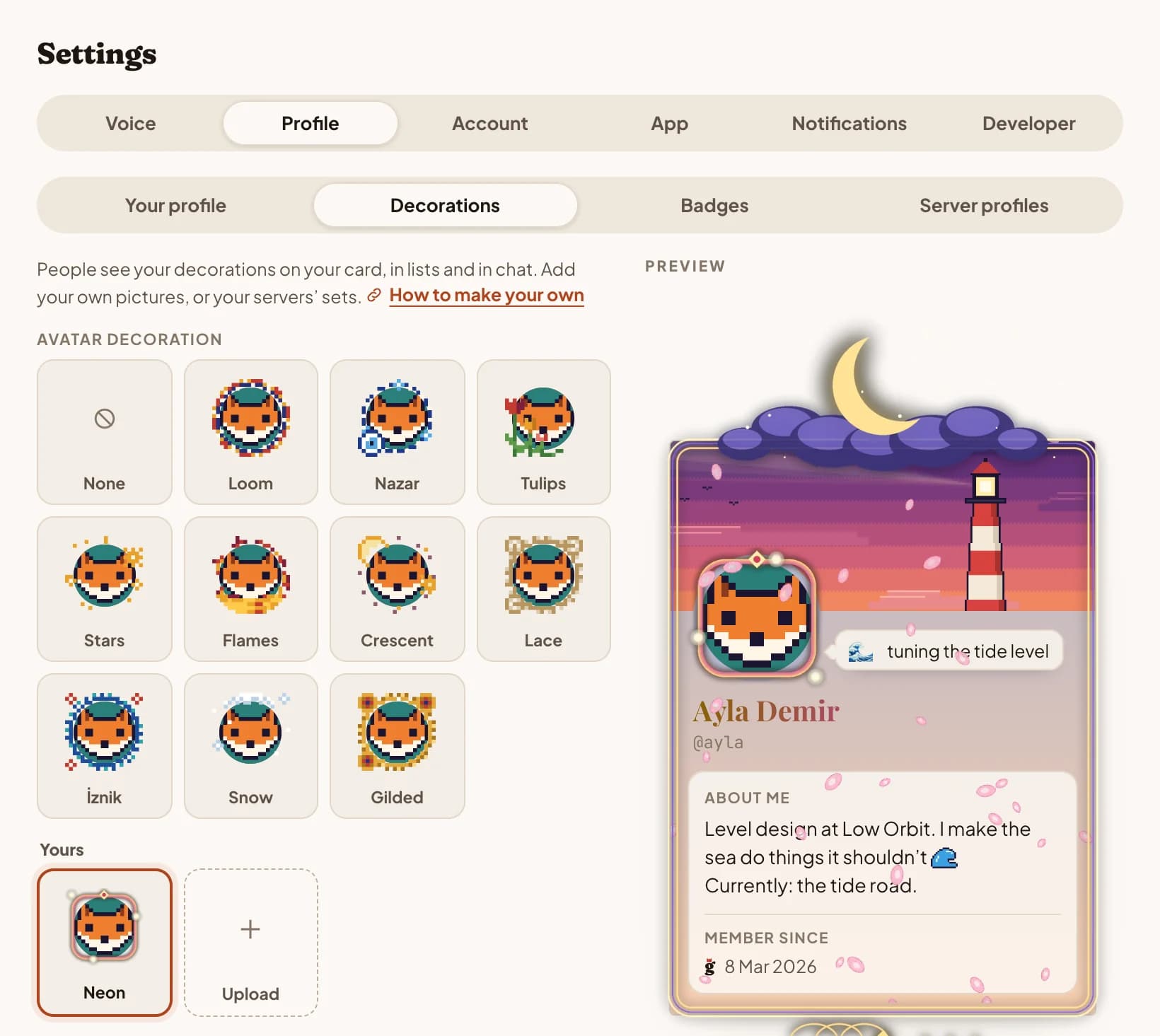
Run the whole platform yourself.
Otag is one program beside a PostgreSQL database and a bucket for files. Set registration to invite-only and your company, school or clan has a private Otag of its own. During the beta, self-hosting is by application.
Apply for a self-hosting licence
Tell us who you are and what you would run; approved servers get the download and a licence.
Questions, answered.
What Otag keeps, who can see what, and how it all works.
Privacy and security

Is Otag end-to-end encrypted?
Calls are, messages aren’t. Your voice, your camera and your screen are encrypted on your device before they leave it, with keys that only the devices in the call share and that change whenever someone joins or leaves. Our server passes calls on without being able to decrypt them. Everyone in a call sees the same voice privacy code behind its lock: compare it with someone in the call to check that you share the same keys.
Messages and files travel encrypted over HTTPS and are stored on our server, so they reach everyone in a conversation on all their devices, search can find them, and a person can check what gets reported.
Who can read my messages?
The people in the conversation: in a server, the members who can see that channel; in a direct message or group chat, the people in it. A server’s moderators can delete messages there, and an app added to a server reads what its role lets it read.
To keep Otag safe, our admins can open any server, private channels included. They see direct messages and group chats only when something in them is reported to them, and every moderation decision is made by a person.
Are calls recorded?
No. Calls are end-to-end encrypted and relayed live, so our server can’t hear or see them, and nothing of them is kept.
While you share your screen, a small picture of it shows people what you’re sharing before they join. Your device encrypts that too, and the server keeps only the latest one, in memory, for at most 90 seconds.
How is my password kept?
Only as an Argon2id hash, so the password itself is never stored, and sign-in tokens are kept only as hashes too. Before changes to your account, Otag asks for your password again if you haven’t entered it lately.
Does Otag show ads or sell my data?
No. Otag is free, shows no ads, sells no data and doesn’t track you across apps or websites. The only ads you may see are the video service’s own, in its player, when someone in your voice room plays music or videos with Vibe.
Does Otag collect usage data?
The apps can count which features get used and how well calls and shares run, and send crash reports, so we can find and fix what breaks. They ask before they send either, and both have a switch in Settings → App.
Nothing is tied to your name, email address, account or any ID for your device, IP addresses are never stored, and crash reports are encrypted on your device. A browser that sends Global Privacy Control isn’t asked, and usage counts stay off. This site asks before it counts visits too, and the switch at the bottom of every page changes your answer.
Can I download or delete my data?
Yes. Settings → Account → Your data downloads everything your account holds, as JSON. Delete my account removes your account and profile straight away.
Messages you posted stay in their conversations, as “Deleted user”, so delete the ones you want gone first. Backups are gone within 40 days.
Using Otag
Is Otag free?
Yes, with no ads. Servers, voice rooms, screen sharing and the built-in apps are free for everyone, and while Otag is in beta, so is sharing at up to 4K and 60 fps.
Which devices does Otag run on?
Macs with Apple silicon on macOS 13 or later, Windows PCs (x64), Linux PCs (x64), and any recent browser at app.otag.chat, phones and tablets included. Apps for iPhone and Android are on their way.
Do I have to install anything?
No. app.otag.chat runs in your browser, with voice, camera and screen sharing. The desktop apps add push-to-talk that works while you’re in another app, the game you’re playing beside your name, and sharing a game in one click.
Which languages does Otag speak?
The apps speak English and Turkish. They follow your system’s language unless you pick one in Settings.
How old do I need to be?
15 or older. If you’re under 18, you need permission from a parent or guardian.
How do I reach you?
Email support@otag.chat with a question, a problem or an idea. You can write to us in English or Turkish.
Servers and safety

How do moderation and reports work?
Each server’s owner and moderators run it: roles ranked by dragging, permissions, rules newcomers agree to, and kick, ban and mute for anyone below their role.
Report a message or a person and it reaches Otag’s admins, who are people; nothing is moderated automatically. When they act on your content or account, they email you what they did and why, and you can ask for another look within six months.
How do people find my server?
Share an invite, or claim otag.chat/yourname for your server. With enough members, a description and rules, you can list it in Discover: anyone on Otag can then look around its open channels, live, and join without an invite.
Run it yourself

Can I run Otag myself?
Yes. The whole platform is one program that runs beside a PostgreSQL database and a bucket for files. Set registration to invite-only and it’s a private Otag for your company, school or clan. During the beta, self-hosting is by application.
Apply for a licenceCan I build apps for Otag?
Yes. Apps answer commands, post cards with buttons and forms, and say hello when they join a server; webhooks post what another system sends them.
Read the developer guide
Pitch your own.
Version 0.9.8
On Linux, the AppImage runs on any distribution and updates itself; the .deb, for Ubuntu, Debian and Mint, updates with your system. Both need WebKitGTK 4.1, which the .deb installs for you.
On your phone? Open app.otag.chat. Apps for iPhone and Android are on their way.
Otag is in beta: things move fast and rough edges remain. Tell us what breaks.